


More and more manufacturers of travel luggage and accessories are starting to leverage the possibilities of the mobile app world. Thanks to this, their customers can become part of a large community, learn additional information that will help them choose the right product, or delve into news from the outdoor world. What benefits does the new PackSizer app from Osprey bring, and why should you install it even before buying a new backpack?
A Perfectly Fitting Backpack with the Osprey PackSizer App
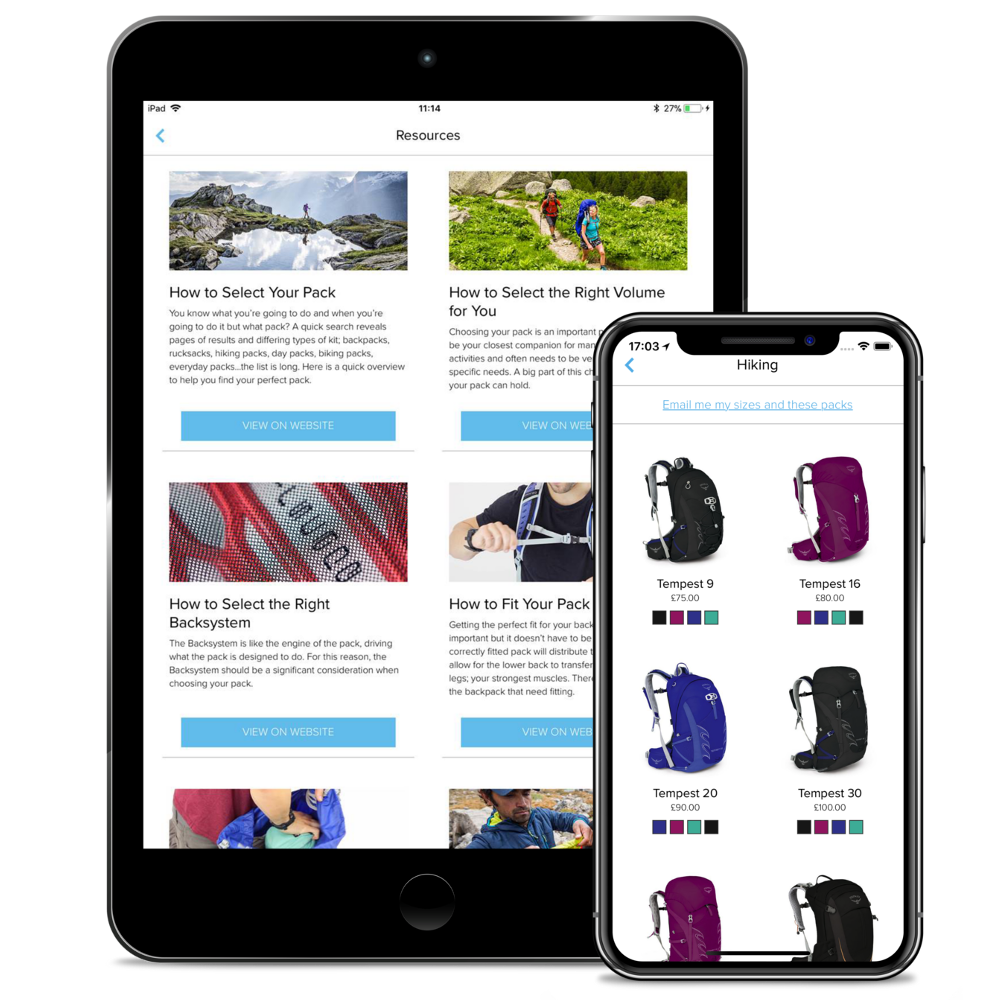 The new Osprey app will make choosing a backpack easier, whether you're shopping online or want to spend less time trying things on in-store. Under the name Osprey PackSizer, you can easily find it on Google Play or App Store and install it with a few clicks. After opening the app, you enter your gender and select the metric system as default from the "metric (cm)" and "imperial (in)" options. This sets up the basic functionality of the app, and all that remains is to measure your back length. The simpler option is definitely to measure your back length using your phone's camera, but the app also offers the option to enter values manually. Using images and descriptions, it will then show you exactly how to measure yourself.
Choosing a Backpack from the Comfort of Your Home
Let's return to the more user-friendly option of measuring using your phone's camera. It's ideal if you have a friend at hand who can help you with taking the photo. The photo should be taken from a distance of about three meters, and the phone should be roughly at the level of your body's center when taking the picture. It's also necessary to leave free space above your head and below your feet in the photo. A short video tutorial in the app will show you exactly what the final photo should look like. If you're not taking photos in a swimsuit, it helps to touch your pelvic bone while photographing, thus indicating where exactly this reference point is located (under clothing, it wouldn't be precisely recognizable in the photo, which could complicate the measurement). 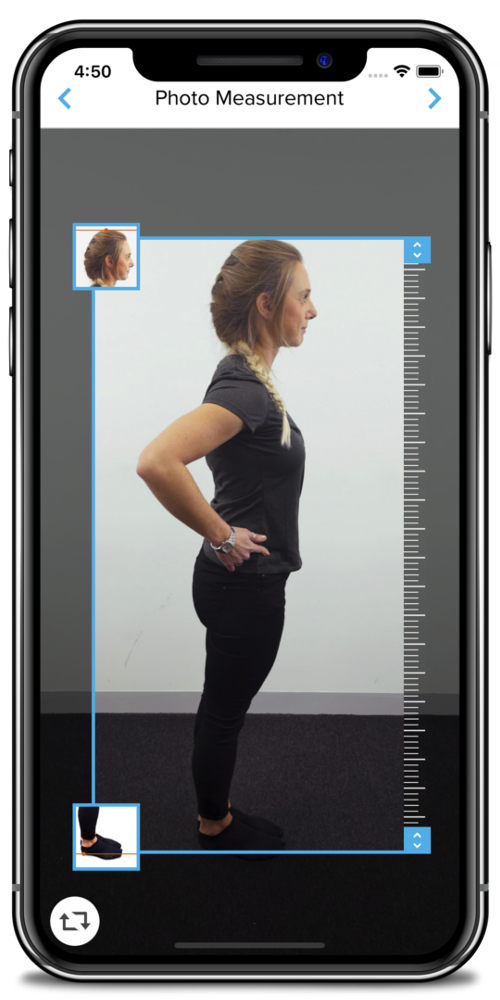
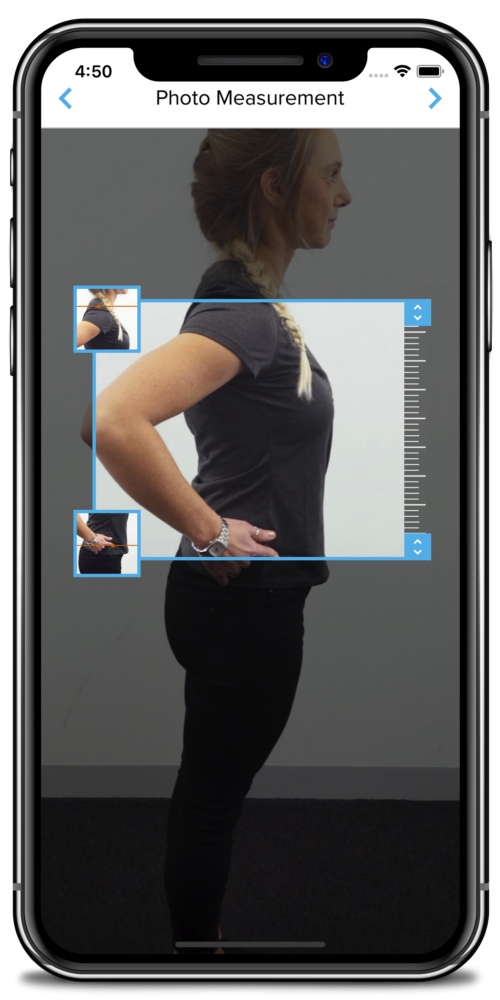 In the second step, you then enter your height into the app and mark the top of your head and the soles of your feet in the photo cutout, so that the program can better recognize where exactly your figure is located in the photo. Finally, in the photo cutout, you mark the upper (roughly at the end of the cervical spine) and lower points of your back (at the level of the lower back). It's simple – just follow the attached videos and images.
Which One Will Be Mine?
After you go through these three stages, the app will evaluate which Osprey backpack sizes will fit you best. Back system sizes are most commonly stated as S, M, and L, or S/M and M/L, so don't be surprised if the app shows you two options right away. If the resulting size doesn't seem appropriate, you can easily go through the process again with another photo. Finally, in the app, you can choose your dream backpack by activity type or, by clicking on the Resources tab, delve into many guides on how to choose the right backpack and how to adjust it to your figure. You will also learn how to clean the backpack or pack everything you need into it as practically as possible. 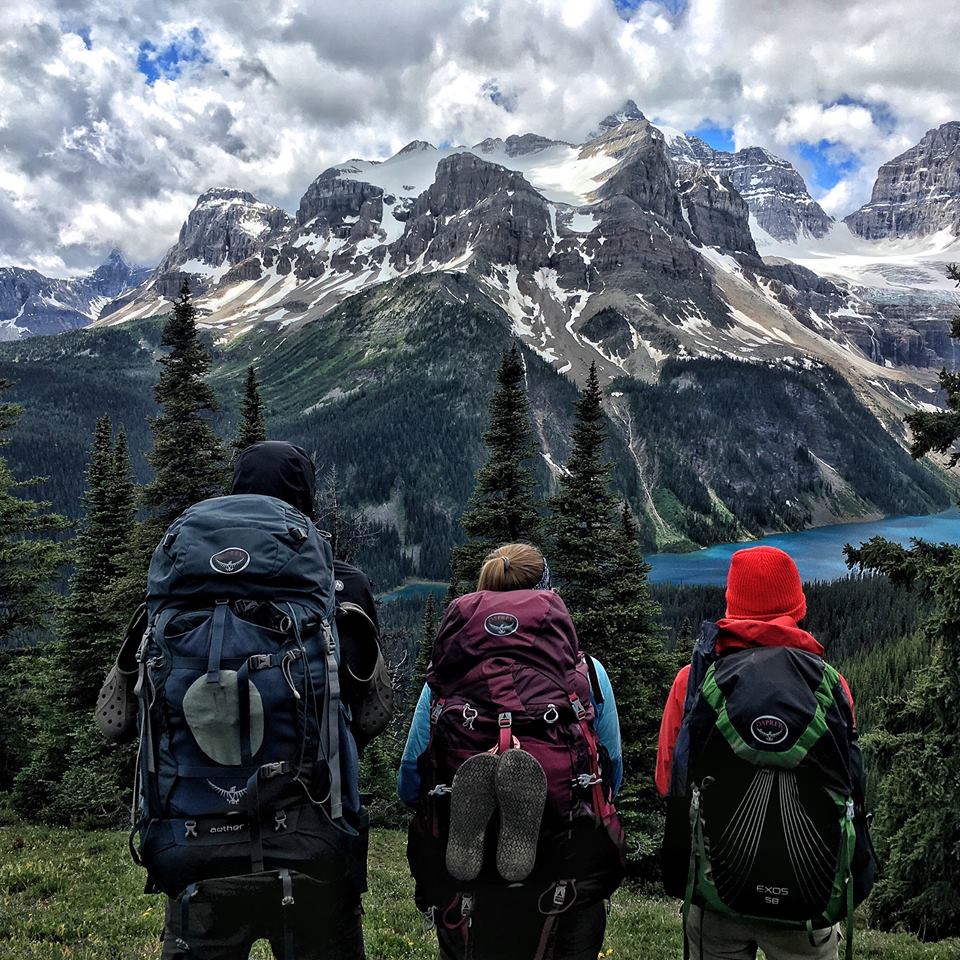 The app will thus be useful for those who already own an Osprey backpack, as well as those who are only planning to buy one. We definitely recommend trying it out!


